The Ohio Medical Marijuana Registry, explained
The registry is the state’s record of registered patients, run by the Division of Cannabis Control. Your physician registers you; you activate your account by email, then sign in at the official registry login to download your card and renew it each year.

Share this article
Add us as a preferred source on GoogleWhat the registry does
- Records that you’re a registered patient and which physician recommended you.
- Issues your registry card, which you show with a photo ID at licensed dispensaries.
- Tracks when your registration expires and lets you renew.
Registry information that identifies you is confidential under Ohio law and is not a public record.
Marijuana Card OH
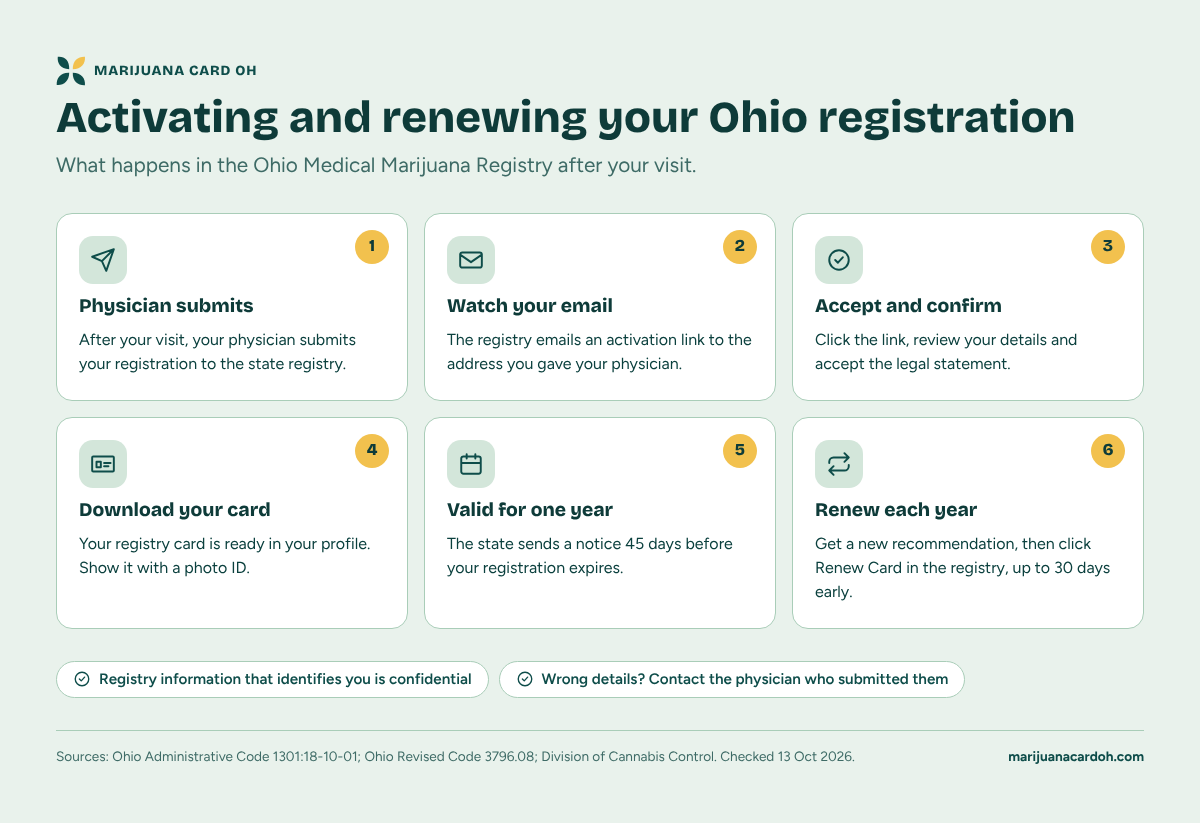
Activating and renewing your Ohio registration
What happens in the Ohio Medical Marijuana Registry after your visit.
Physician submits
After your visit, your physician submits your registration to the state registry.
Watch your email
The registry emails an activation link to the address you gave your physician.
Accept and confirm
Click the link, review your details and accept the legal statement.
Download your card
Your registry card is ready in your profile. Show it with a photo ID.
Valid for one year
The state sends a notice 45 days before your registration expires.
Renew each year
Get a new recommendation, then click Renew Card in the registry, up to 30 days early.
- Registry information that identifies you is confidential
- Wrong details? Contact the physician who submitted them
Activating your registration
- After your visit, your physician submits your registration.
- Watch the email address you gave your physician for a message from the registry with an activation link.
- Click the link, review your details and accept the legal statement.
- Your card is then ready to download from your profile.
Renewing each year
Your registration lasts one year. Get a new recommendation from your physician, then sign in and click Renew Card. You can renew up to 30 days before it expires. Full renewal guide.
Registry help
- Forgot your password: use the registry’s login help article.
- Questions about your registration: email the Division of Cannabis Control at MMCPRegistry@com.ohio.gov or call its toll-free helpline, 1-833-464-6627.
- Wrong details on your registration: contact your recommending physician, who submitted them.
Was this article helpful?
Related guides
Common questions
Where do I log in to the Ohio medical marijuana registry?
Can I register myself?
I never got the activation email. What should I do?
How do I print my card?
Is there a fee for the registry?
Sources
- Division of Cannabis Control: Patient & Caregiver Registry
- Division of Cannabis Control: Renewing patient registration
- Division of Cannabis Control: Obtain medical marijuana
- Ohio Revised Code 3796.08: registration and confidentiality
- Ohio Administrative Code 1301:18-10-01: procedure for patient registration
Checked 13 Oct 2026.